Logo Maker : Graphic Designer
Prometheus Interactive LLCBusiness
4.61.75K Reviews
- Version
- 2.2.7
- Installs
- 10.00M
- Age Rating
- Everyone
Screenshots
Our Review of Logo Maker : Graphic Designer
 Analysis by Appyee
When a small project needs a logo, the usual choices are to spend time learning a full design program, hire someone, or keep using a plain text name that never quite looks finished. I like the idea of a phone-based shortcut for that recurring job: get a first visual identity together quickly, then decide whether it is good enough to use or needs a more specialist hand. Logo Maker: Graphic Designer is aimed at that practical middle ground, with ready-made starting points and room to adjust the result.
Where a quick logo draft helps
I can see this being useful when someone is setting up a weekend market stall, a small online shop, a community project, or a social account and needs a recognizable mark before launch. In those situations, the immediate goal is often consistency rather than a complete brand system: a name, a symbol, and a look that can be reused on a profile or a simple flyer. A template-based mobile app can help turn that blank-page problem into a set of choices.
It is also a sensible fit for testing an idea before investing much effort in it. If I were trying out a new side project, I would use a quick draft to see whether a particular name and visual style work together. I would treat the result as a starting identity, not assume that a polished-looking preview automatically means the design is ready for every business use.
Choosing a template with a purpose
The app’s breadth of templates, icons, and fonts is most useful when I narrow the brief before browsing. I would write down the project name, the audience, and one quality I want the logo to suggest—perhaps friendly, dependable, or energetic. Then I would compare a small handful of different directions instead of scrolling until one merely looks attractive. This makes it easier to judge whether the symbol and lettering actually suit the project.
A practical tip is to check the design at more than one imagined size while editing. Fine details that look appealing on a phone screen can become hard to recognize as a small social avatar, while thin lettering may lose impact when the mark is reduced. I would also try the logo without relying on a decorative background or texture; a clear central shape and readable name are more useful across everyday applications.
How it fits a real working day
Picture a person preparing a simple announcement for a new baking business after work. They have the name, but no visual identity, and want the profile image and a basic promotional graphic to look related before posting. A template can give them somewhere to begin, and adjusting the icon, colors, and font helps create a more personal result than using a generic text label. The time saved is not just the editing itself: it is avoiding a long search for the right desktop tool before making a first draft.
That convenience is strongest when the brief is modest and the person can make their own design decisions. If the logo will represent a larger company, appear on packaging at many sizes, or needs to meet detailed brand requirements, I would use the app to explore visual directions rather than treat it as the final design process. A professional designer or a full desktop graphics application is a better choice when precision, originality, and a coordinated set of brand assets matter more than speed.
What the quick route trades away
Template-led design can get a usable concept on screen quickly, but it also makes it easier to end up with a look that feels familiar. The answer is not to add more decoration automatically. I would try changing the balance of the icon and wording, simplifying the palette, and removing effects that do not help recognition. The goal is a mark that still makes sense when viewed briefly, not one that only looks distinctive because it has several treatments applied.
There is a separate practical question around where and how a finished file will be used. Before relying on any logo for print, a storefront, or a paid campaign, I would check the available export options in the app and make sure the result suits the intended output. A convenient share option is not necessarily the same thing as a production-ready file for every job. For a casual profile image, quick sharing may be enough; for professional printing, I would verify the file requirements first.
Who should choose another route
If you already work comfortably in a desktop design program, or need precise control over vector paths and a complete identity package, this app is unlikely to replace your usual workflow. The same is true if you need a highly distinctive mark and do not want to begin from a template. In those cases, a dedicated graphics tool or a designer gives you more room to build something from the ground up. For a beginner who mainly wants to avoid staring at a blank canvas, the template-first approach is much more approachable.
Cost is another detail worth considering before settling into a project. The app is free to download, while in-app purchases range from $0.99 to $99.99 per item. I would explore the available choices before committing to a particular design workflow, especially if I were making several versions or working to a strict budget. That keeps the convenience of a fast start separate from any later decision about paid options.
So, I recently stumbled upon an app called Logo Maker: Graphic Designer, and I’ve got to say, it’s pretty impressive! Whether you’re a budding entrepreneur looking to craft a personal brand or just someone who loves playing around with design, this app seems to have something for everyone. Let me share my experience using it.
First Impressions and Ease of Use
Right off the bat, Logo Maker: Graphic Designer greets you with a clean and intuitive interface. No clutter, just straight-to-the-point options that make navigating through the app a breeze. I love how everything feels accessible, even if you’re a complete newbie when it comes to graphic design.
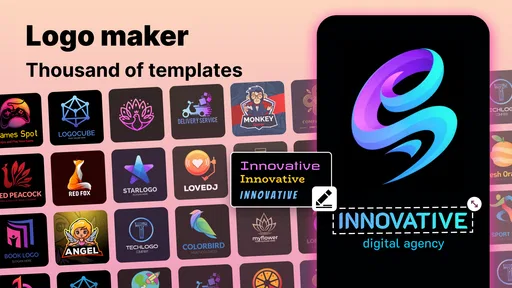
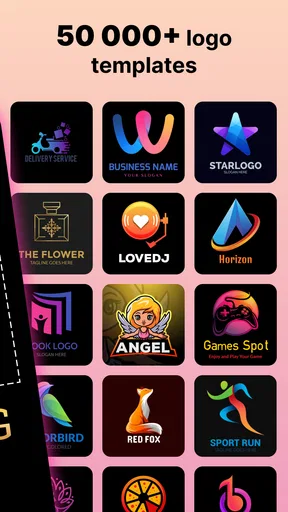
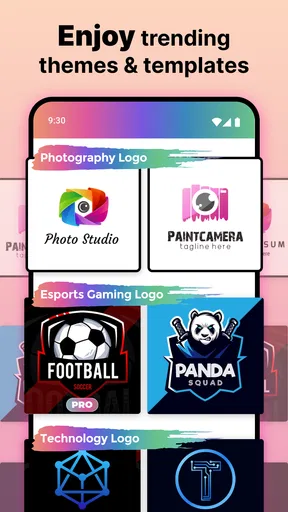
The app offers a bunch of templates to get you started. Seriously, there’s a template for almost every industry you can think of. From tech startups to cozy coffee shops, the variety is impressive. And if you’re feeling a bit adventurous, you can also start from scratch!
Design Tools and Features
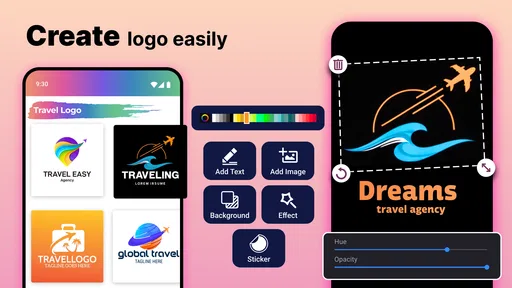
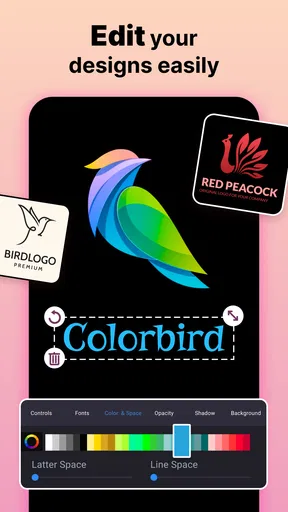
Now, let’s talk about the real star of the show: the design tools. The app gives you a wide array of customization options. You can tweak colors, fonts, and icons to your heart’s content. It’s like having a mini design studio right on your phone.
The app also includes a neat feature where you can add gradients and textures to your logos. It’s these little touches that can make a logo pop and stand out. Plus, the drag-and-drop functionality is smooth, making the design process feel effortless.
Exporting and Sharing
Once you’ve crafted your masterpiece, the app makes it super easy to export your logo in various formats. Whether you need a high-res version for printing or a web-friendly file, it’s all just a tap away. Sharing your creations on social media is equally straightforward, which is a plus if you’re looking to get feedback or just show off your work.
Learning Curve
Even if you’ve never designed anything before, the app gently guides you through the process. There are helpful tips and tutorials sprinkled throughout, which is great if you need a bit of extra guidance. It’s clear the developers put a lot of thought into making the app user-friendly.
Customization Galore
One of my favorite aspects of the app is the level of customization it offers. Want a modern look? Go for it. Prefer something more vintage? You got it. The app doesn’t box you into a particular style, which is refreshing. It gives you the freedom to truly express your brand’s identity.
Final Thoughts
Overall, Logo Maker: Graphic Designer is a fantastic tool for anyone looking to dive into the world of logo design. It’s user-friendly, packed with features, and offers a ton of creative freedom. Whether you’re a seasoned designer or a curious beginner, this app has something for everyone.
If you’re on the lookout for an app that makes logo design simple yet effective, this might just be the one for you. Happy designing!
A sensible first session
In practice, I would start by making a rough version before spending time on details. Pick a template that is close to the project’s tone, enter the name, and make only a few deliberate changes. Then step back and ask whether the mark is recognizable without reading every letter. This keeps the first session focused and makes it easier to notice when an attractive icon is distracting from the business name.
For a shop or service with a long name, I would pay particular attention to the relationship between the lettering and the symbol. The layout that looks balanced with a short sample name may feel crowded once the real name is entered. Trying a different font or reducing decorative elements can be more effective than shrinking everything until it fits. A logo needs to remain legible, not simply occupy the available space.
Making variations without losing consistency
A small project may need slightly different presentations: a compact image for a profile, a wider version for a simple banner, or a version that works against a plain background. I would keep the central design choices consistent across those uses rather than redesigning the mark each time. That means preserving the same name treatment and general visual character, even when the layout needs to change. It is a useful discipline for a solo owner who is creating materials as they go.
Before sharing a draft, I would also show it to someone who has not watched me build it. Ask what kind of project they think it represents and whether they can read the name quickly. That feedback is more useful than asking only whether the design looks nice. A logo can be attractive yet confusing, and a quick outside reaction may reveal that the chosen icon suggests the wrong thing.
Compared with other ways to make a logo
Compared with opening a full desktop graphics program, a phone app like this puts convenience first. It can be a better starting point when the need is immediate and the user has little design experience; the templates reduce the number of decisions required to get a first draft. The trade-off is that a template-based result may need careful editing to avoid looking too close to other ready-made designs. Desktop tools remain preferable for detailed construction and precise output control.
Hiring a designer is a different kind of alternative, not simply a more complicated app. A designer can ask questions about the business, create a more tailored concept, and help keep the identity coherent across materials. That is worth considering when the logo will carry significant commercial weight. For a temporary project, a personal hobby, or an early-stage experiment, the quicker DIY route may be proportionate; the right choice depends on how much distinctiveness and polish the project genuinely needs.
Practical details before relying on it
Logo Maker: Graphic Designer is a business app from Prometheus Interactive LLC. It is free to download, rated for Everyone, and has a 4.6 average from around 135,000 ratings, with more than 10 million installs. It was released on March 9, 2022, and version 2.2.7 supports Android 5.0 and later. Those details make it accessible to many Android users, but I would still check that the current app runs well on the particular device I plan to use for editing.
One question people often have is whether they need design experience. I would say no for making a first draft: the template-led approach and direct adjustments make experimentation approachable. The harder part is judging the result, so a little restraint and a second opinion help. Another reasonable question is whether it suits business use. It can help a small operation create a basic identity, but for a major launch, extensive print work, or a logo that must be unmistakably original, I would treat it as a concept tool and consider specialist help.
There is also the question of whether the free starting point will be enough. Because individual in-app purchases range from $0.99 to $99.99, I would review any paid choice carefully rather than assume every design need is covered at no cost. If I only need to test a name or create a simple social graphic, I would begin with the free download and decide later whether a purchase is justified. That avoids paying before I know what the project actually requires.
My verdict on the time saved
For someone who needs a logo draft today and does not want to learn a complex program first, this app has a clear purpose. Its templates, fonts, and icons can help turn a vague idea into a visual starting point, while customization gives the user some control over the final feel. I would recommend it most readily to beginners, side projects, and small businesses that need a practical first identity rather than a full branding service.
The main trade-off is that convenience does not guarantee uniqueness or suitability for every output. A template needs thoughtful editing, and anyone with exacting production requirements should check the finished file and consider a more specialized option. Used with those limits in mind, Logo Maker: Graphic Designer can remove the intimidating blank-page stage and save time on a modest project. I would try it when speed matters, but I would not mistake a quick logo for a complete brand strategy.
Verdict
Strengths of Logo Maker : Graphic Designer
- User-friendly interface with intuitive design.
- Wide variety of templates and icons available.
- Customizable fonts and colors for creativity.
- Quick export options to multiple formats.
- No need for graphic design experience.
Limitations of Logo Maker : Graphic Designer
- Limited free features; premium needed for more.
- Occasional ads interrupt the workflow.
- Some templates feel outdated.
- Requires internet for certain features.
- Limited font options in free version.
Other Releases by Prometheus Interactive LLC
View All
Sound Booster・Increase Volume
Music & Audio4.8

Screen Recorder: Facecam Audio
Video Players & Editors4.4

GPS Navigation: Live Earth Map
Travel & Local4.0

Cute Lock Screen & Wallpapers
Beauty4.6
Similar Picks in This Category
View All
LinkedIn: Community & Network
LinkedIn3.8

Zoom Workplace
zoom.com4.1

Microsoft Teams
Microsoft Corporation4.6

Meta Business Suite
Meta Platforms, Inc.4.6

Webex Meetings
Cisco Systems, Inc.4.5

TeamViewer Remote Control
TeamViewer4.4
Frequently Asked Questions
What features does Logo Maker: Graphic Designer offer?
Logo Maker: Graphic Designer provides a wide array of features including customizable templates, diverse font selections, and an extensive library of icons and shapes. Users can also benefit from advanced editing tools such as layering, opacity adjustments, and color palettes to create unique and professional-looking logos.
Is Logo Maker: Graphic Designer suitable for beginners?
Yes, Logo Maker: Graphic Designer is designed to be user-friendly, making it suitable for beginners. The intuitive interface and step-by-step guides allow users with no prior design experience to create impressive logos. Additionally, the app provides tutorials and tips to help newcomers navigate its features effectively.
Can I export my logos in high resolution?
Absolutely, Logo Maker: Graphic Designer allows users to export their creations in high resolution. This feature ensures that the logos maintain their quality across various platforms and media, whether it be for digital use or print. Users can choose from multiple file formats to suit their specific needs.
Does Logo Maker: Graphic Designer offer in-app purchases?
Yes, the app offers in-app purchases. While the basic version provides essential tools for logo creation, premium features such as additional templates, icons, and advanced editing options can be unlocked through purchases. This model allows users to expand their design capabilities as needed.
Is Logo Maker: Graphic Designer available on both Android and iOS?
Logo Maker: Graphic Designer is available for download on both Android and iOS platforms. This cross-platform availability ensures that users can access their projects and work on their designs from any device, anytime, providing a seamless design experience across smartphones and tablets.
